Blog · Social media & Reels
How to connect the Instagram Edits app to Claude for video editing
You connect Instagram's Edits app to Claude by turning on the Automation Server in Edits for Mac (Settings → Automation), copying the Claude Code command it gives you, and running it in Terminal. Claude can then cut, caption and arrange your Reel on the Edits timeline while you watch. Here is the full setup, what it can and cannot do, and why Edits matters for views and engagement.
Can you connect the Edits app to Claude?
Yes. The desktop version of Edits, Instagram's free video editor, has a built-in Automation Server that speaks MCP (Model Context Protocol), the open standard Claude uses to work with other apps. Once you link it to Claude Code, Claude can open your Edits project and make edits on the real timeline: cutting silences, adding captions and text, placing transitions and exporting.
Two things to know before you start. First, this only works with Edits for Mac, not the phone app. Second, it works with Claude Code (Anthropic's tool that runs in your Terminal or desktop app), because the Edits server only listens on your own Mac at 127.0.0.1:19501. The Claude chat website cannot reach it.
What do you need before you start?
| What | Details | Cost |
|---|---|---|
| A Mac with Apple silicon | M1 chip or later. Intel Macs and Windows PCs are not supported by Edits desktop. | - |
| Edits for Mac | Download from edits.instagram.com/desktop and sign in with your Instagram account. | Free |
| Claude Code | Install from claude.com/product/claude-code. Needs a paid Claude plan or API credit. | Paid |
| Your raw footage | Keep clips inside your Movies folder. Edits is sandboxed and, in community tests, only imports from there. | - |
How do you connect Edits to Claude, step by step?
Turn on the Automation Server in Edits, copy the Claude Code command Edits shows you, run it in Terminal, and check the connection with /mcp. Each step is below.
Step 1
Install Edits for Mac
Free. Sign in with Instagram.
Step 2
Settings → Automation
Switch on Enable Automation Server.
Step 3
Copy the Claude Code line
Under Connect an AI client.
Step 4
Paste in Terminal, check /mcp
Then ask Claude to edit.
Step 1: Install Edits for Mac and sign in
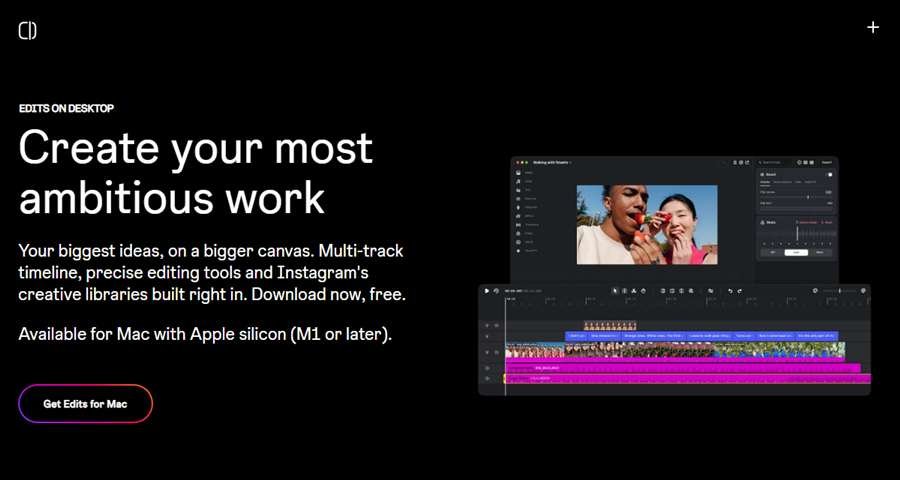
Go to edits.instagram.com/desktop, click "Get Edits for Mac", install it and sign in with the Instagram account you post from. Open any project once so the app finishes setting up.
Step 2: Turn on the Automation Server
In Edits, open Settings → Automation and switch on Enable Automation Server. The tab then shows the port, the local address (http://127.0.0.1:19501/mcp), an access token with Copy and Regenerate buttons, and a block called Connect an AI client.
Treat the access token like a password. Anyone who has it can edit your projects. If it ever shows up in a screenshot or screen recording, press Regenerate.
Step 3: Copy the Claude Code command
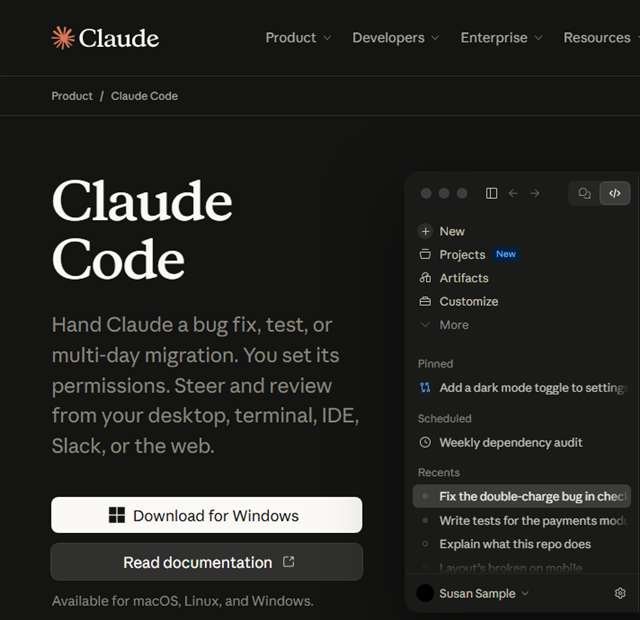
Under Connect an AI client, click Copy next to Claude Code. Edits copies a ready-made command with your token already in it. If Claude Code is not installed yet, install it first, then open Terminal and run claude --version to check it works.
Step 4: Paste it into Terminal and confirm
Paste the copied line into Terminal and press Enter. It looks like this (always use the exact line from your own Edits app, not this one):
claude mcp add --transport http --scope user metapilot-native http://127.0.0.1:19501/mcp --header "Authorization: Bearer YOUR_EDITS_TOKEN"Now start a new Claude Code session by typing claude, then type /mcp. You should see the Edits server listed as connected. If it says it failed to connect, check that Edits is open and the Automation Server switch is still on.
What can Claude do inside Edits once it is connected?
Claude can do most of the slow, mechanical part of a Reel edit on the Edits timeline, and you see each change live. Creators who have tested it report it handles these jobs well:
- Clean up a talking-head clip. Transcribe it, cut silences, filler words, stutters and false starts, and close the gaps with audio kept in sync.
- Pick the best take. Spot repeated lines and keep the last clean take, asking you before borderline cuts.
- Add captions and text. Place on-screen text, hooks and captions in the style you describe (font, colour, card style).
- Arrange and polish. Order clips, add transitions, keyframes and speed changes, then export.
A good habit is to ask for a storyboard first: "Plan the text overlays for this Reel as a list and wait for my OK before editing." You approve the plan, then Claude builds it. Two prompts that work well:
- "Open my latest project. Cut every pause longer than half a second and all filler words, keep the last clean take of any repeated line, and show me the list of cuts before you apply them."
- "Add a bold hook in the first 2 seconds, auto captions in white with a navy box, keep text inside the Reels safe zone, then export 1080×1920."
What are the limits and common problems?
The Edits automation feature is new and not fully documented by Instagram, so expect some rough edges. These are the ones reported in community testing in November 2026:
- No posting. Claude cannot publish, schedule or share. You post from the Edits window yourself, which is the safer way anyway.
- Tools change by screen. Edits shows different tools on the home screen and inside an open project, and some builds do not tell Claude when this changes. If Claude says a tool is missing, restart the Claude Code session after opening the project. The open-source insta-edits-for-claude plugin was built to fix this.
- Files must be in Movies. Imports from other folders can fail. Use full paths, as Edits does not expand
~. - Library music in exports. Songs from the Instagram library may be silent in exports started by Claude. Export from the Edits window when music matters.
- Cuts can clip words. Occasionally the first letter of a word gets cut. Name the word and ask Claude to extend the cut.
Can you use Edits with Claude on Windows or Android?
Not for direct editing yet. Edits desktop is Mac-only, and the phone app has no Automation Server. On Windows or a phone you can still use Claude for the thinking part (hooks, scripts, shot lists, captions and hashtags) and then edit in the Edits mobile app yourself. Many creators in India shoot and edit on phones, so this split workflow is the realistic one for most people today.
Why does the Instagram Edits app matter for views and engagement?
Edits matters because it is Instagram's own editor: it puts Instagram's music, captions and performance data in the same place you edit, so you can see why a Reel lost viewers and fix the next one. Views on Reels come down to whether people stop scrolling and keep watching. Edits gives you the numbers to work on exactly that.
- Retention and skip data. The Insights tab shows watch time, skip rate and where viewers drop off, so you can fix weak openings instead of guessing.
- Compare your Reels. Put up to 3 Reels side by side on views, watch time, follows and interactions (Edits blog, August 2026).
- Audience timing. See where followers are and when they are most active, then post at those times.
- Native audio and captions. Instagram's licensed music library and unlimited automatic captions. Captions matter because many people watch Reels on mute.
- Clean, high-quality exports. No watermark and up to 4K on desktop, and you can publish straight to Instagram without re-uploading.
Does using Edits boost your reach?
Possibly a little, and only for a while. In August 2025 Instagram head Adam Mosseri said that, for now, videos made in Edits get a small reach boost, described as temporary and meant to promote the app (Buzzincontent, 12 August 2025). We found no newer confirmation that the boost is still running, so do not count on it. The lasting benefit is the retention data, not a trick in the algorithm. A weak Reel made in Edits is still a weak Reel. When a Reel does prove itself, putting a small ad budget behind it is a faster way to grow; see our performance marketing service.
Why it is a natural choice for creators in India
CapCut, the most popular editor elsewhere, has been blocked in India since 2020, so Indian creators have long needed a dependable free alternative. Edits fills that gap with no watermark, Instagram's own music library and captions in multiple languages, which helps when you post in Hindi, Marathi or mixed Hinglish.
How do influencers and brands use Edits with Claude to grow?
The winning pattern is simple: let Claude do the repetitive editing and spend the saved hours on ideas, hooks and posting more often. A practical weekly routine looks like this:
- Plan: ask Claude for 5 hook ideas and a short script for each Reel, based on what your audience saves and shares.
- Shoot: record in one batch and drop the clips into your Movies folder.
- Rough cut with Claude: clean-up, captions and text overlays on the Edits timeline.
- Human polish: you or your editor fix pacing, music and the first 3 seconds, then publish from Edits.
- Review: check skip rate and watch time in Edits Insights, compare your top 3 Reels, and feed what worked into next week's plan.
This is the same loop we run for clients. Our social media marketing and handling service covers planning, shooting, editing and reporting for Instagram, and our video production team for Reels and ads handles the shoots. If you are a creator building your own name, see our personal branding service, or join our network of content creators in Pune.
What else do people ask about Edits and Claude?
Does Instagram Edits work with Claude?
Yes, on Mac. Edits for Mac has a built-in Automation Server (an MCP server) that Claude Code can connect to. The Edits phone app does not have this feature.
Can Claude post my Reel to Instagram?
No. The Edits automation tools cover editing and export only. You review the edit and publish from the Edits window yourself.
Is there an Instagram Edits app for PC or Windows?
Not yet. Instagram's download page says Edits desktop is only available on macOS, for Macs with Apple silicon (M1 or later).
Do I need to know coding to connect Edits to Claude?
No. You copy one command from Edits and paste it into Terminal. After that you talk to Claude in plain English.
Is Claude free for video editing?
No. Edits is free, but Claude Code needs a paid Claude subscription or API credit, so the AI editing part has a cost.
Should I use Instagram Edits or CapCut?
If you post mainly on Instagram, use Edits: it is free, has no watermark, includes Instagram's music library and shows Reel insights. In India the choice is simple, because CapCut has been blocked since 2020.
What is the Edits app by Instagram?
Edits is Instagram's free video editing app for making Reels and short videos. It launched on iPhone and Android in April 2025 and came to Mac in November 2026, with a timeline editor, Instagram's music library, automatic captions, effects and Reel insights.
How do I get the Instagram Edits app?
Download Edits free from the App Store on iPhone or Google Play on Android, and sign in with your Instagram account. For a computer, download Edits for Mac from edits.instagram.com/desktop (Apple silicon Macs only).
Can I edit Instagram Reels on PC?
Not with Edits yet, because Edits desktop is Mac-only. On a Windows PC you can edit in another desktop editor and upload the finished video from Instagram in your browser, or edit on your phone in the Edits app.
Is Instagram Edits like CapCut?
Yes, it does a similar job: a free editor with templates, effects, captions and music for short videos. The difference is that Edits is made by Instagram, so it has Instagram's audio library, no watermark and Reel insights built in.
Does using Instagram Edits increase views?
Not by itself. Instagram said in 2025 that Edits videos got a small, temporary reach boost, but views mainly depend on whether people watch and share your Reel. Edits helps by showing skip rate and drop-off points so your next Reel is better.
Which app is best for Instagram editing?
For most creators who post mainly on Instagram, Edits is the best free choice because it is built for Reels and shows Reel insights. Teams that also make long YouTube videos or ads often add a full desktop editor such as Premiere Pro or DaVinci Resolve.
Is Claude a good video editor?
Claude is not a video editor on its own. Connected to an editor like Edits for Mac, it is good at the repetitive parts (cutting pauses, captions, text overlays, arranging clips), but a person still needs to judge pacing, music and the hook.
Can I use Claude to edit YouTube videos?
Yes, if you connect it to an editor. Edits for Mac exports horizontal video up to 4K, so Claude can do a rough cut for YouTube there too. For long videos, a full desktop editor is usually more comfortable.
How do I link Claude to other apps?
Through connectors, which use MCP. In the Claude app you add them under Settings → Connectors; in Claude Code you add them with the claude mcp add command, which is exactly what Edits gives you to copy.
Work with us
Want Reels that get watched without editing them yourself?
Tell us about your brand or your creator page. We will send you a free plan for your Instagram: content ideas, shoot schedule, editing and monthly reporting, with what it costs. No pressure, no commitment.
Prefer email? Write to us at info@brandhandlers.in
Digital marketing agency in Pune for social media, ads, SEO, outreach, video and websites.
info@brandhandlers.inServices
Company
Brandhandlers is the digital marketing brand of P Square Growth.
Erandwane, Pune 411004, India · © 2026 Brandhandlers